For Australian urgent care centres
The patient's story, ready before the nurse says hello
Patients enter their details and answer a short, structured set of questions on the kiosk or their own phone. Nurses and doctors open a record that is already organised, in the patient's own words. The software collects; it does not assess, prioritise or recommend anything.
Data purged nightly · Questions versioned per encounter · No assessment, no prioritisation, no recommendations
What the patient sees
A few screens, in their own words
The first question is open, and the screen asks for as much as the patient can give — typed or spoken. Their words go to the nurse unedited; the closest matches appear once they have said enough to narrow it. After that, a short set of questions about that one complaint — never more than eight screens, on the kiosk or the patient's own phone.
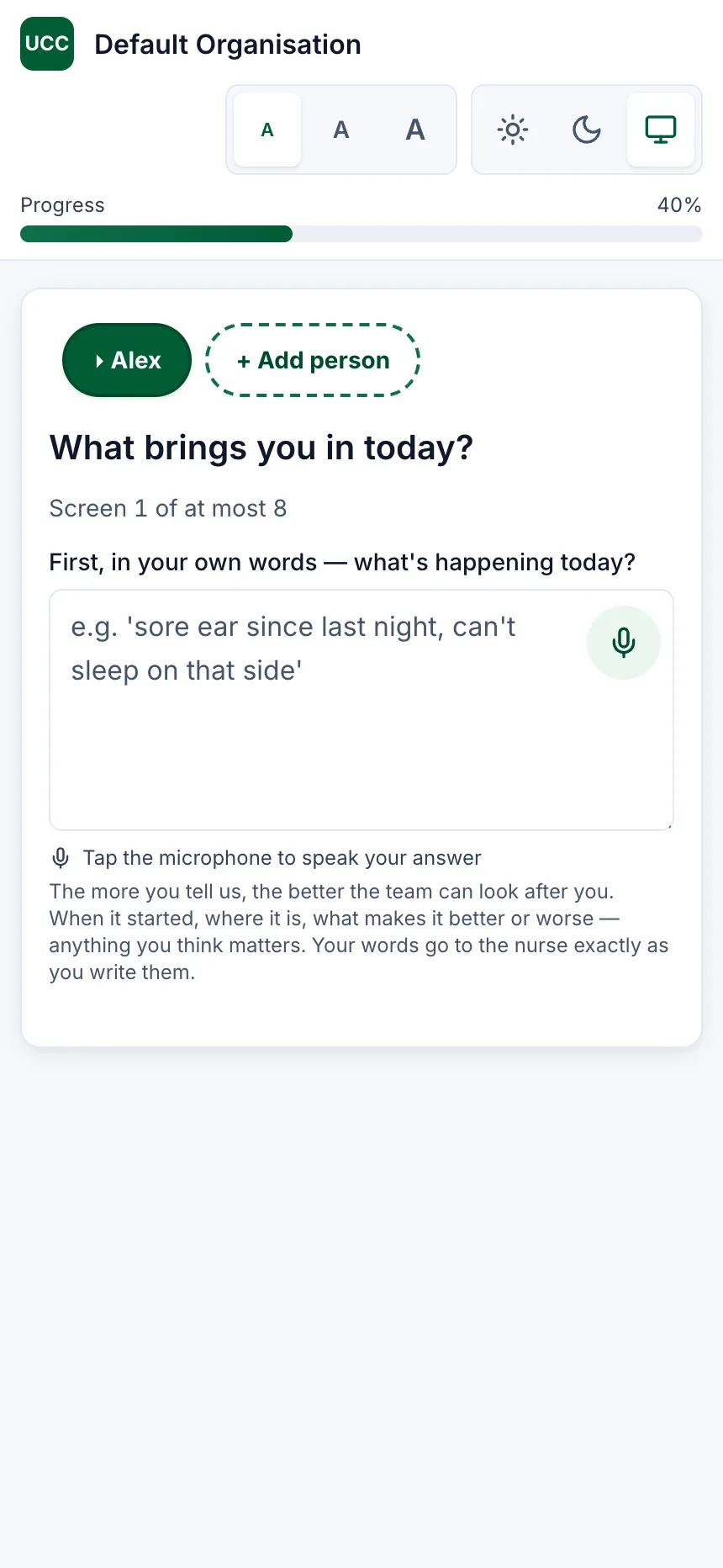
In their own words, first. 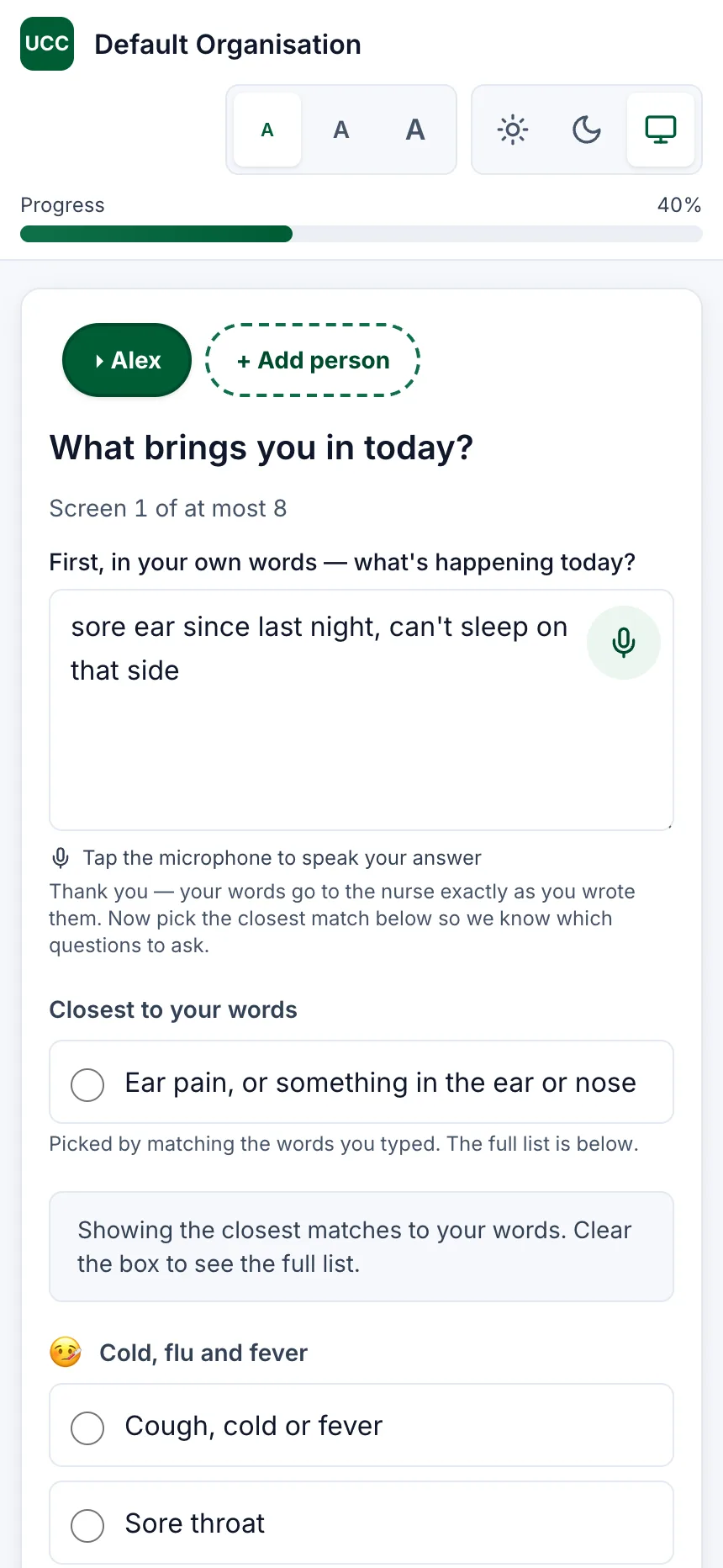
Then the closest matches, in plain words. 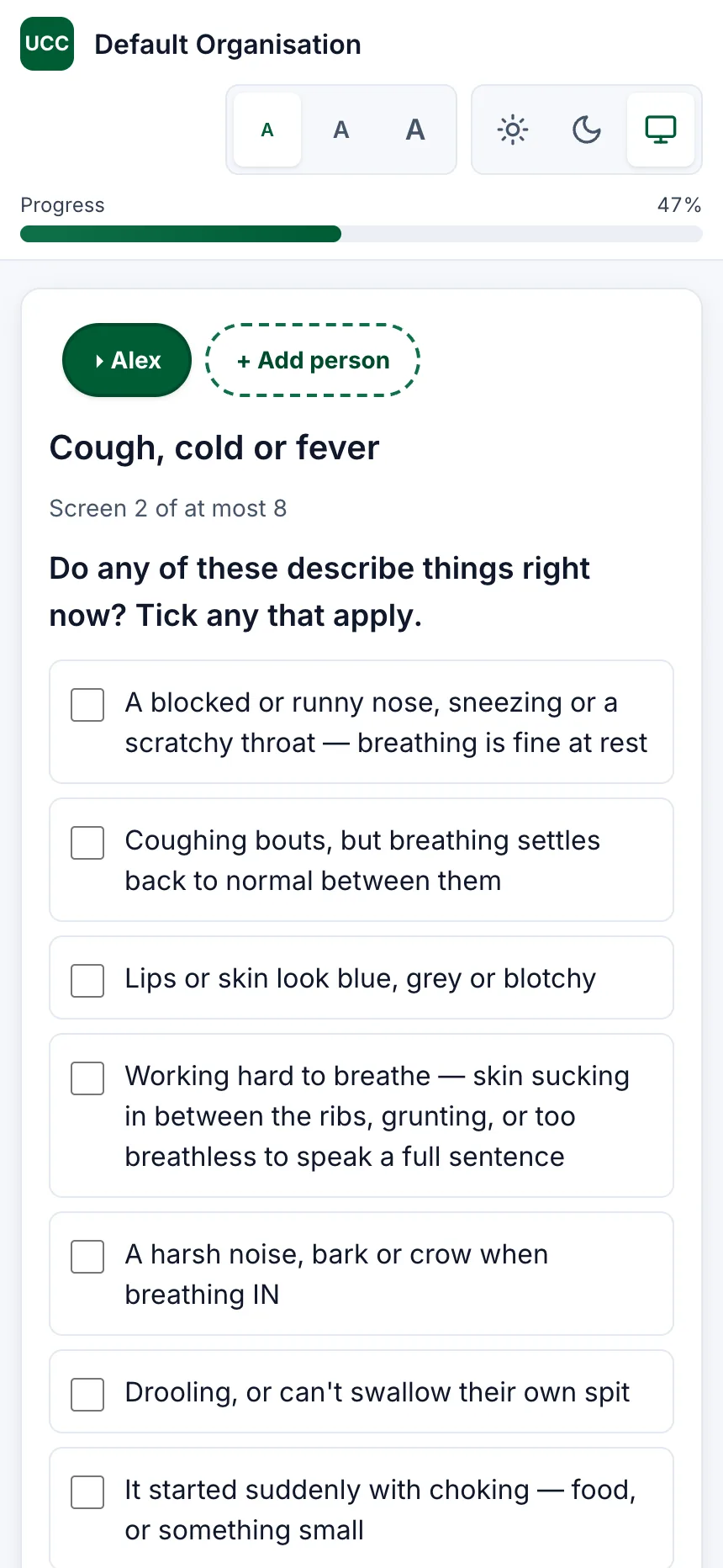
Then a short checklist for that one complaint.
Captures of this build running against a demonstration clinic. Nothing has been entered on any of them, and no patient appears on any screen.
How it works
What happens, in order
From the patient's phone to a record the nurse can act on, with nothing left on the server at the end of the day.
- 1
The patient answers on their own phone
Identity, complaint and a symptom questionnaire. Before they reach the waiting room, or on arrival at the kiosk.
- 2
Their answers are recorded as they give them
Every question and every answer, in the patient's own words where they typed them. The software does not score, rank or interpret any of it.
- 3
A clinician opens a complete record
A structured history, ready before the consultation starts. The triage category is the nurse's, and only the nurse's — nothing is pre-selected and nothing is proposed.
- 4
The decision is recorded, then the data goes
Each record stores the exact version of the questions behind it in a tamper-evident log. Clinical content is purged at the end of the day.
What the nurse opens
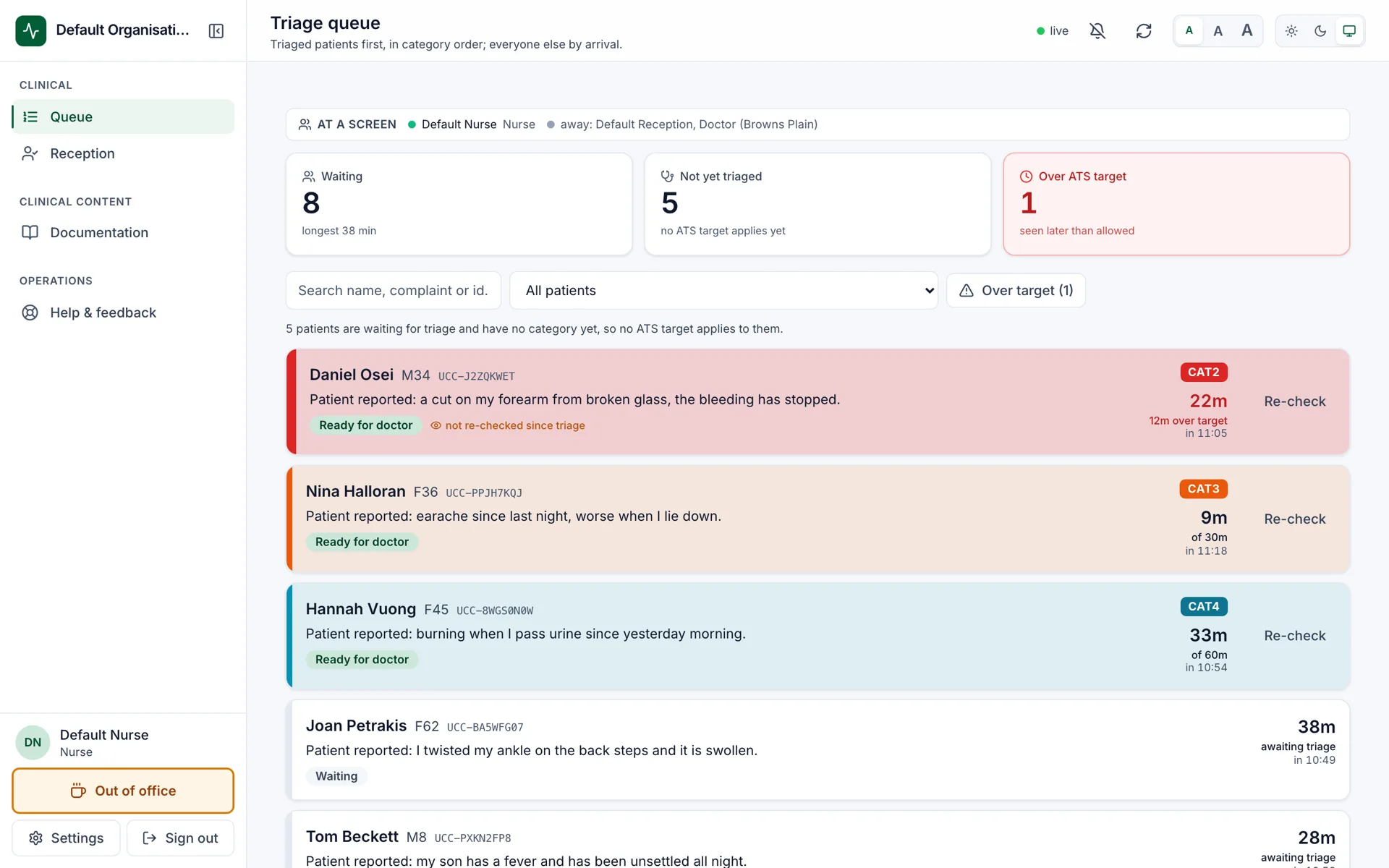
Arrival order, and the patient's own sentence
Every row carries what the patient typed, unedited, and how long they have waited. Nobody is ranked by anything the software worked out: patients waiting for triage sit in arrival order, and a patient moves up only once a nurse has given them a category — their decision, shown back to them.
Clinical governance
Built for the questions a health service has to answer
Not a form with a database behind it. Clinical governance is the product.
Information collection only
It records what the patient tells it and hands that to your staff. It does not assess, prioritise, or recommend treatment, tests or triage.
Australasian Triage Scale
Waits measured against the category the nurse assigns — not a flat clock, and never a number the software decided.
Nothing retained overnight
Clinical data is purged at the end of each clinic day, and the purge is audited.
Every decision auditable
Each record stores the exact version of the questions behind it in a tamper-evident log.
Open to review
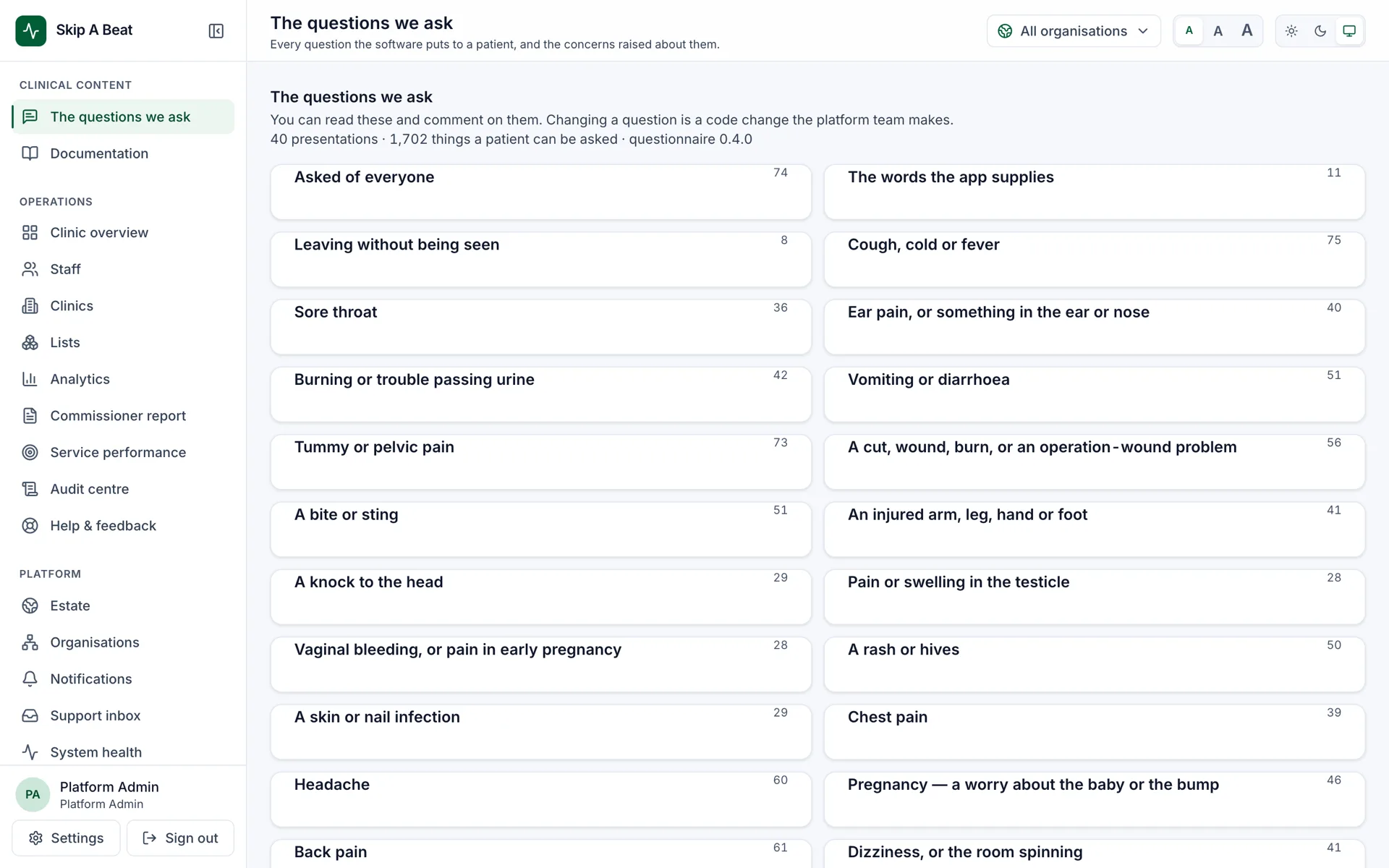
Every question, on one screen
Your clinical lead can read every single thing the software is able to ask a patient — grouped the way a patient meets them — and raise a concern against any one of them. The platform team answers, and changing a question is a code change, versioned per encounter.
A concern blocks nothing. It is a conversation about wording, not a gate on the software.
Privacy
How we protect your privacy
Encrypted, and you hold the key
Your answers are encrypted; the key stays in your QR code, not on our servers.
Gone at the end of the day
Everything is permanently deleted at the end of each clinic day. No accounts, no tracking.
Only your care team
Only the clinical team caring for you can open your record, and every access is logged.
Ready when your patients are
Start a check-in on this device, or sign in to see the board.